Data takeout: Facebook (Browser)
Device: Browser | iOS App
1. Log in to Facebook and open your Accounts Center
Open Facebook and log into your account: https://www.facebook.com/.
Once you sign in, click on the following link to access the Accounts Center: https://accountscenter.facebook.com/.
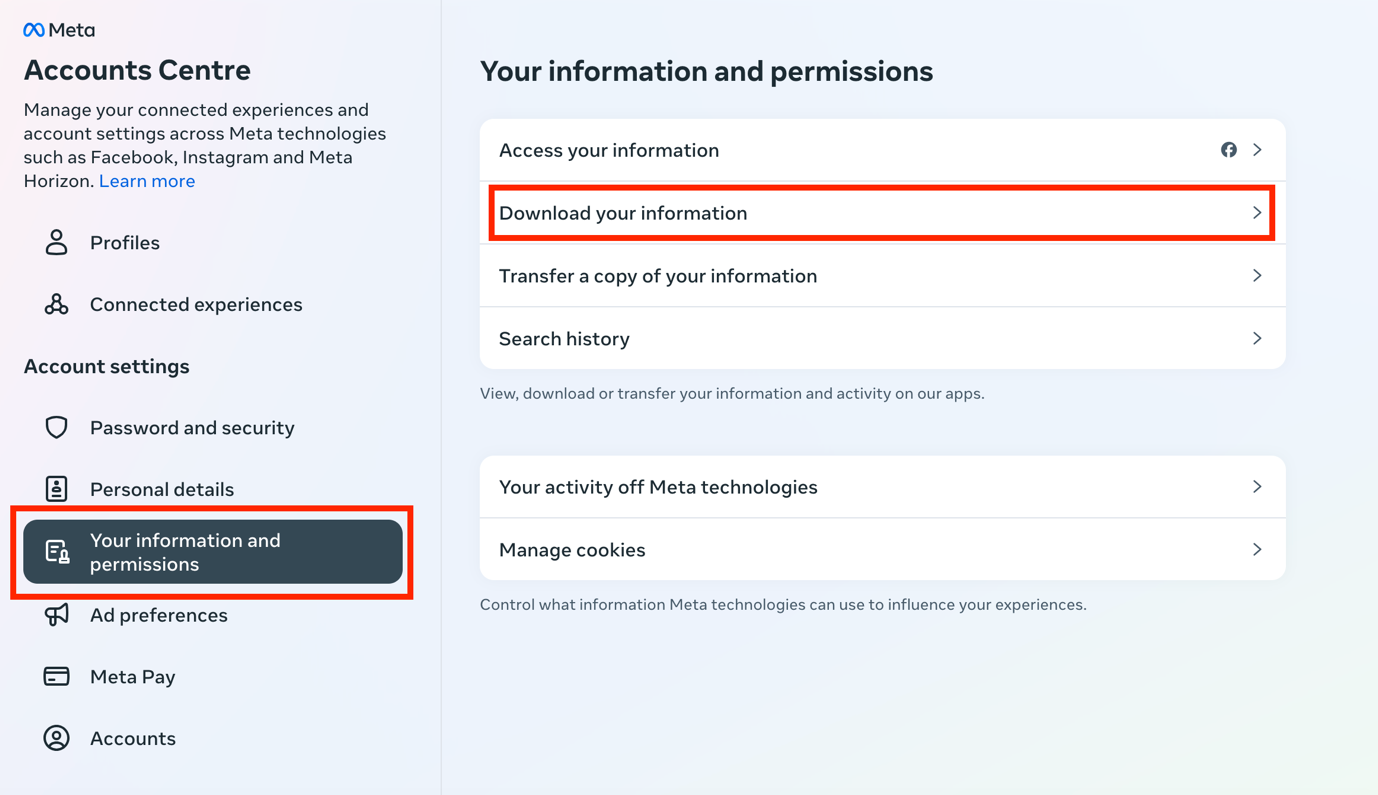
2. Click Your information and permissions
Click on Your information and permissions on the left panel: https://accountscenter.facebook.com/info_and_permissions
Then click on Download your information.
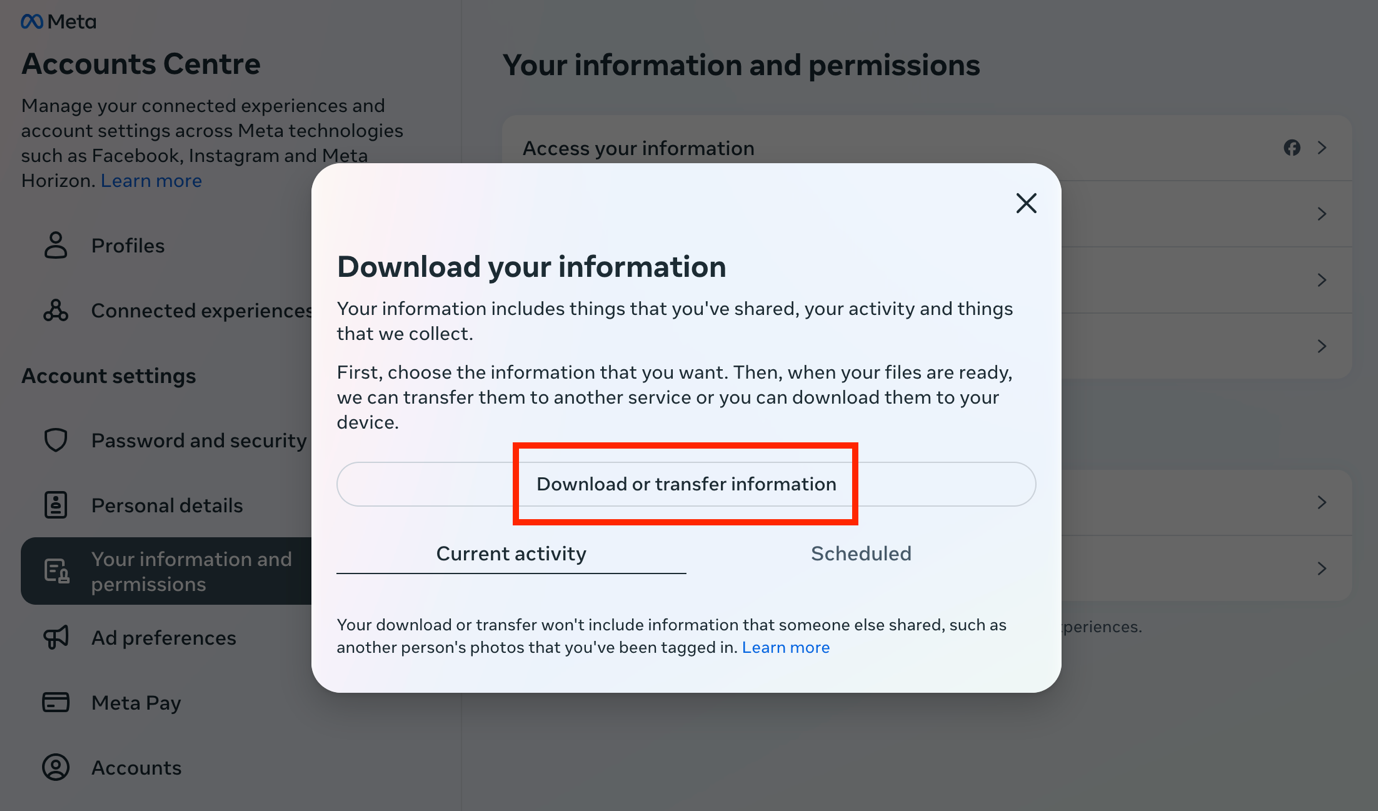
3. Click Download or transfer information
Once you click on Download your information, the following page will appear:
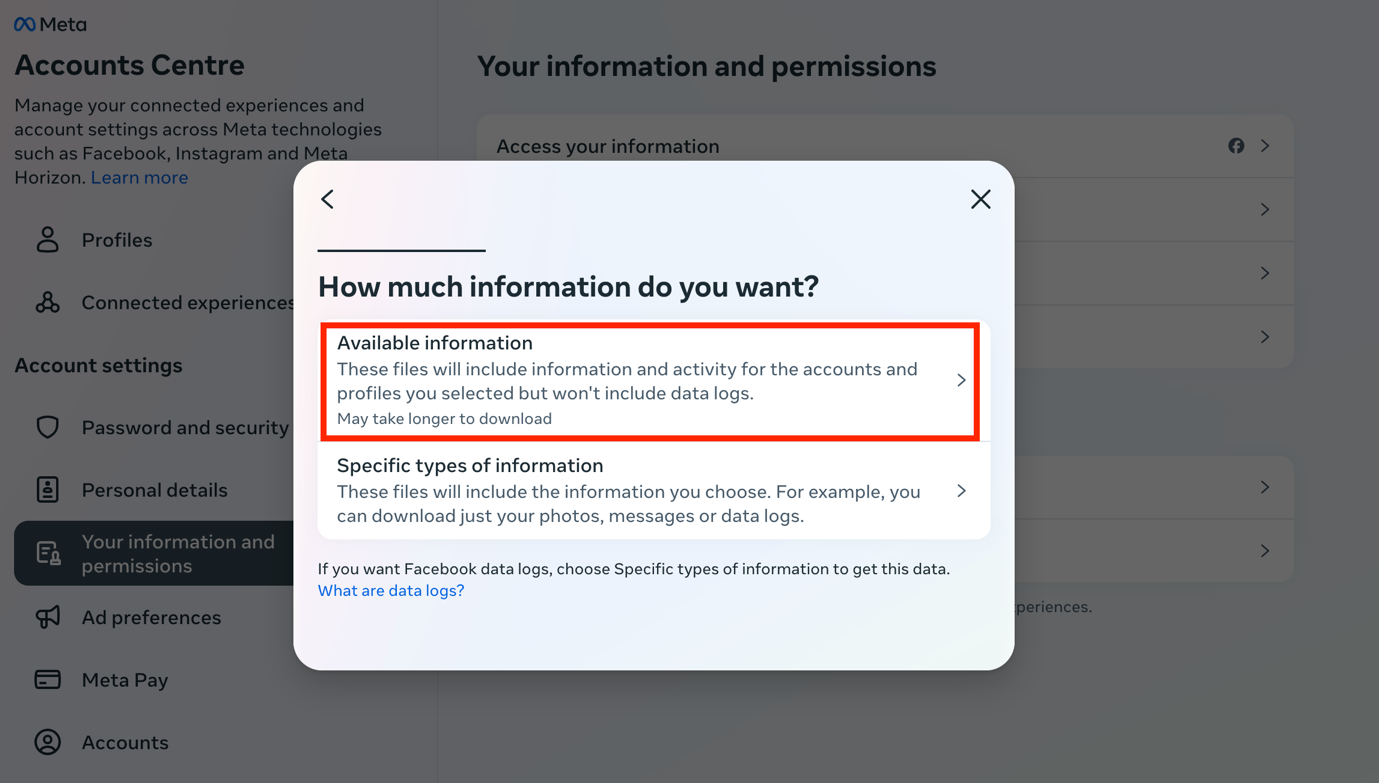
4. Select the amount of information you would like to download
Click on Available information.
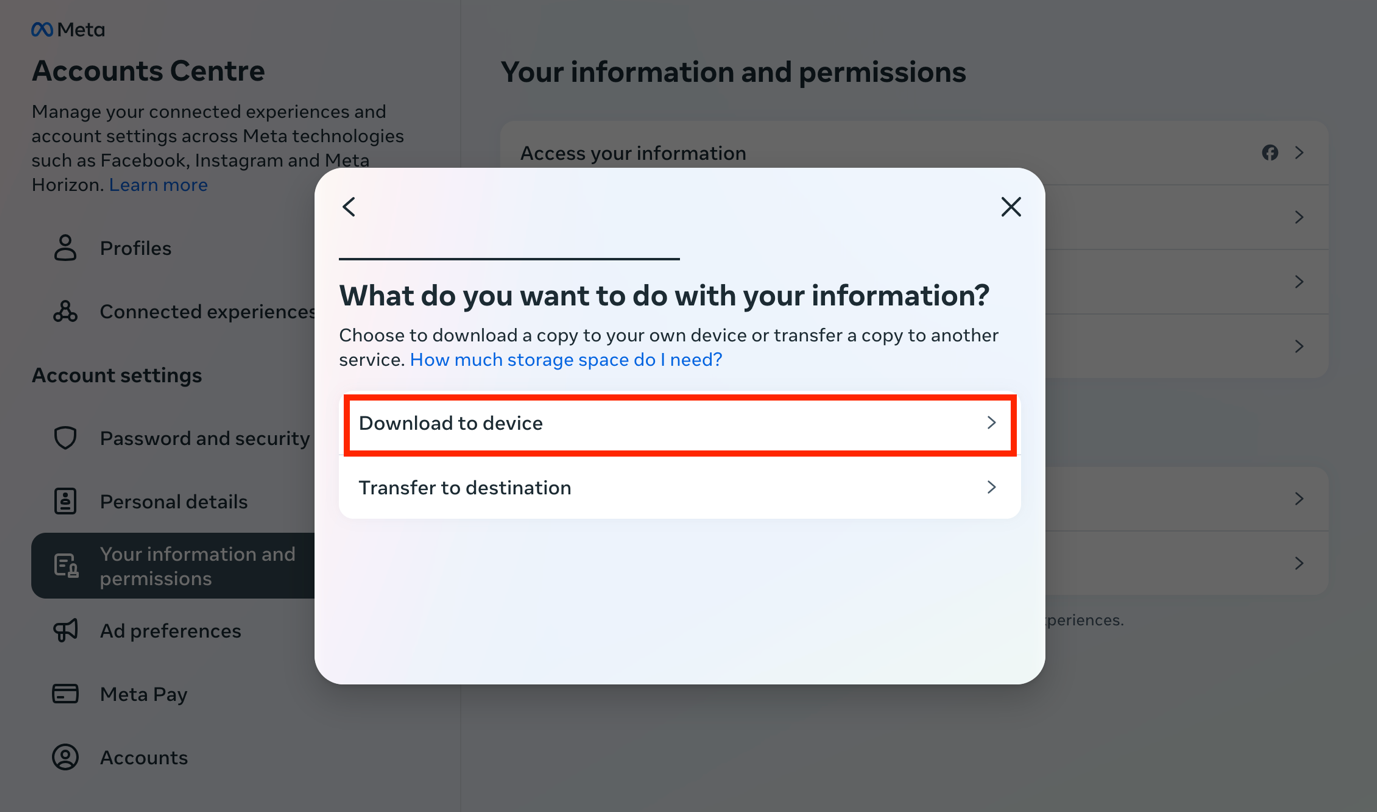
Once you click on Available information, select Download to device.
5. Choose your file options
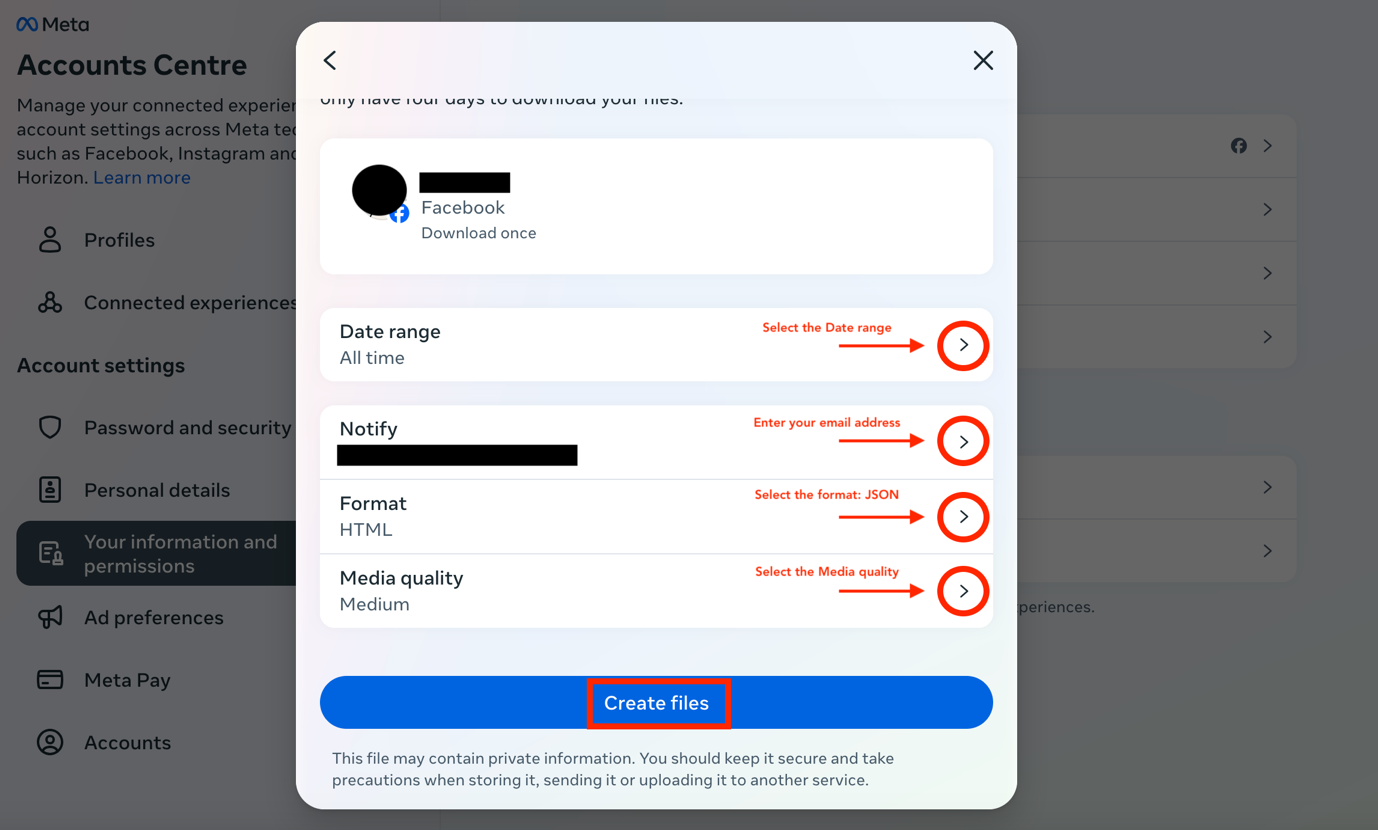
The following will appear to select your file options:
- Select the Date range: All time [note: Date range can be customised]
- Select who to notify: [email address]
- Select the format: JSON
- Select the media quality: Medium [other options: Low/High]
Then click on Create files.
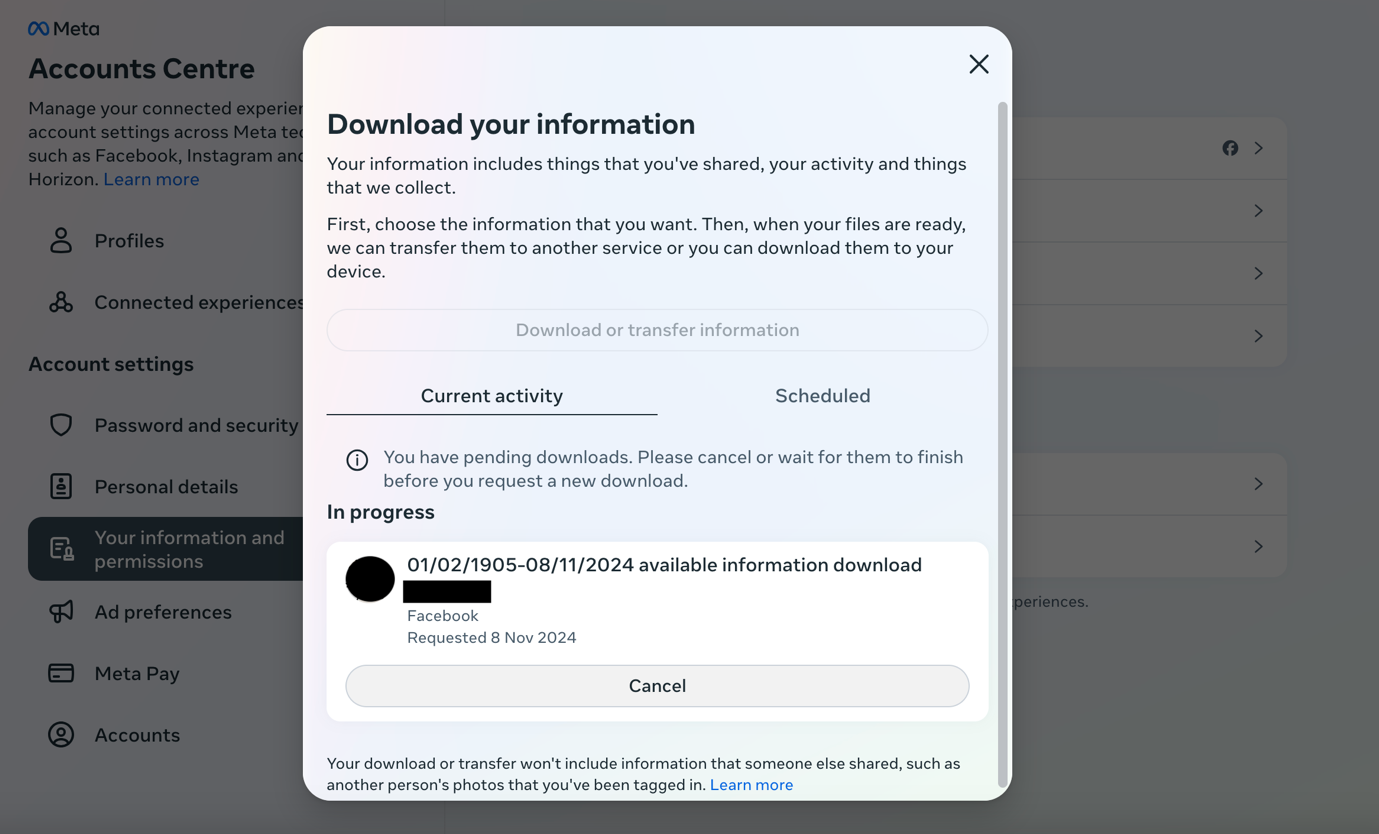
Once you click on Create files, this will appear:
6. Check your email for the download link
Meta (notification@facebookmail.com) will send you an email with a
download link within 30 minutes. Make sure that you are signed in to
the email you entered in the previous step. If you have not received the
email within a few hours, make sure to check your junk mail folder.
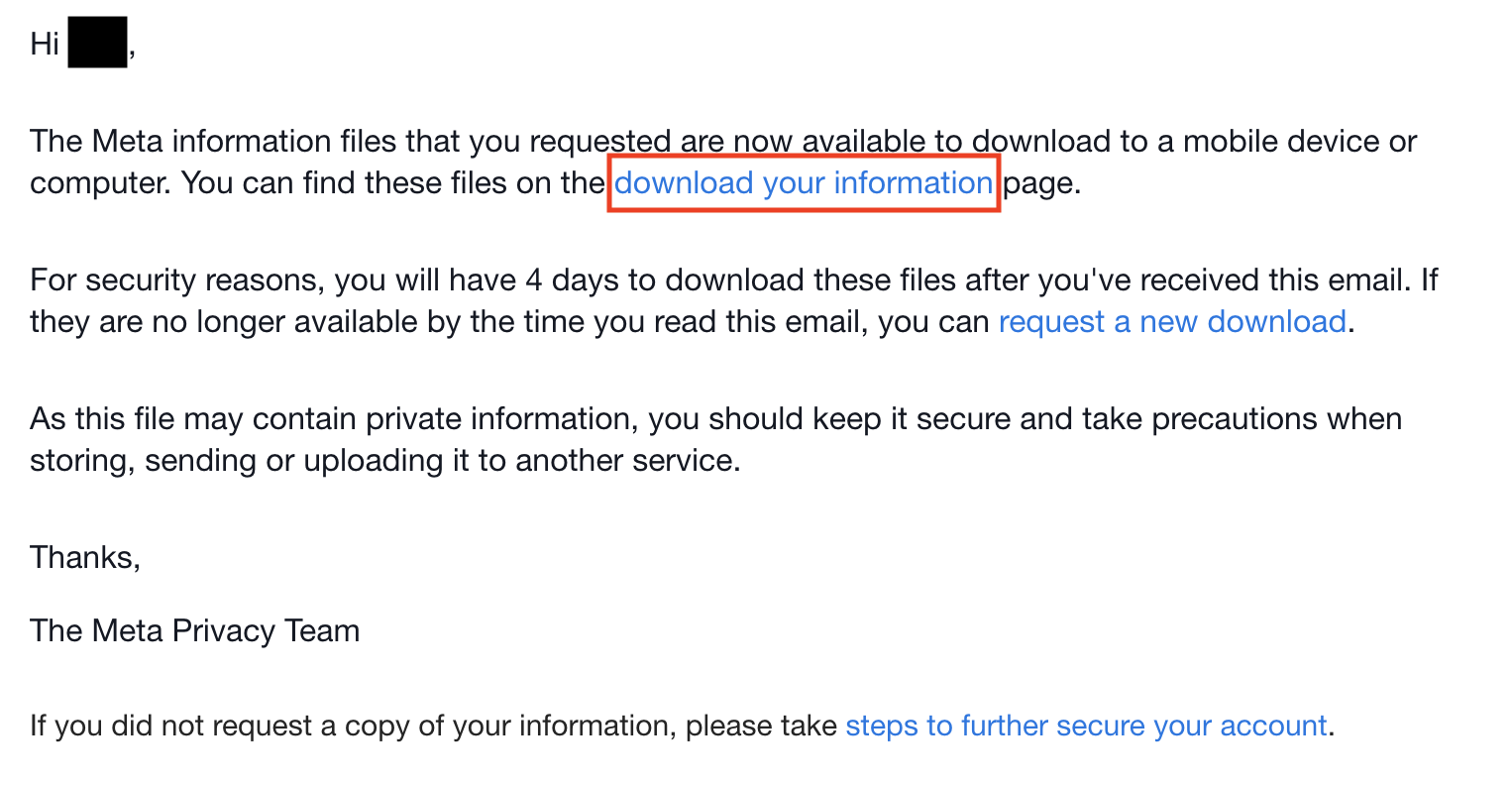
In the email, click download your information. You will have to do this within four days of requesting the information, otherwise you will have to request a new download.
7. Start downloading the information to your device
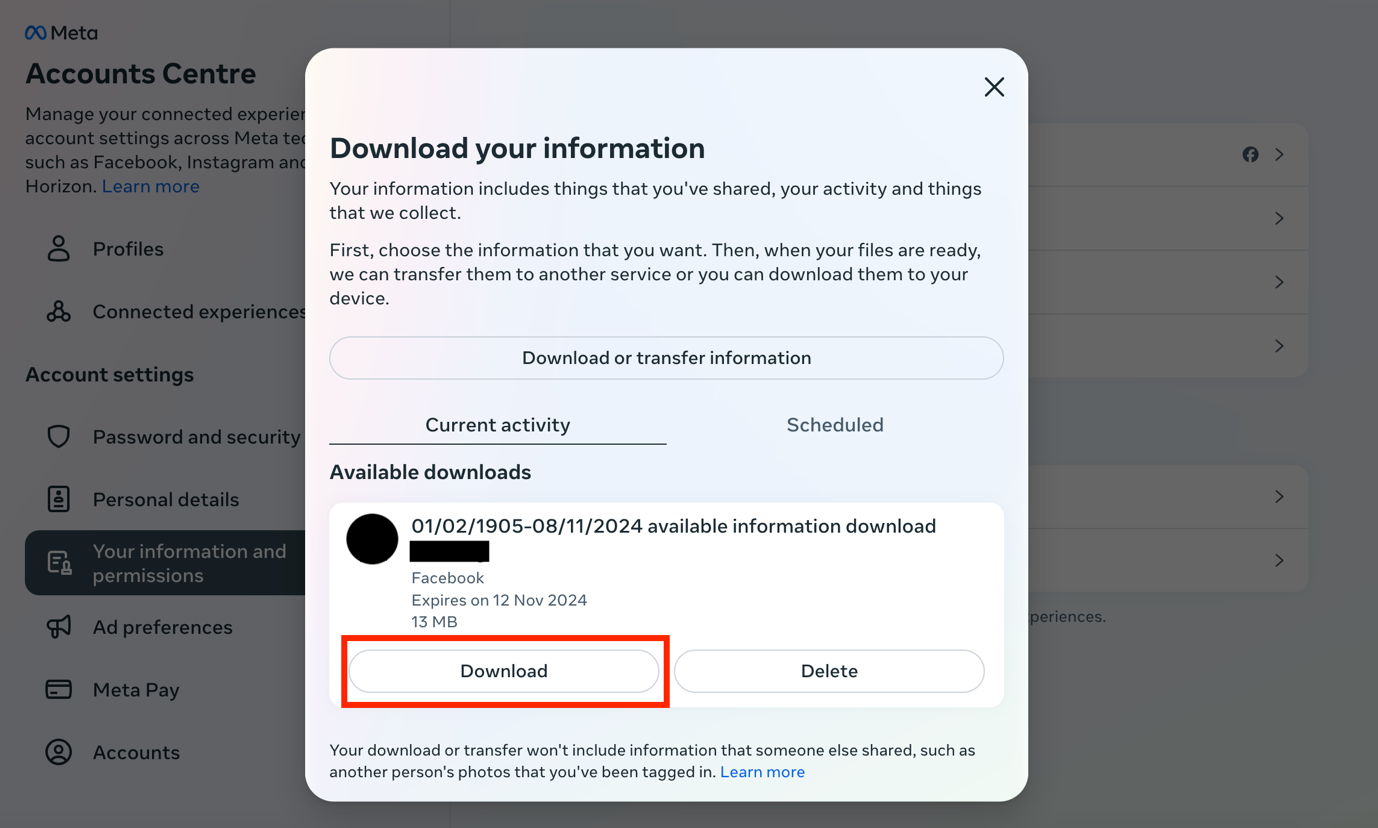
Once you click on the link above, the following page will appear:
Click on Download on the bottom left.
8. Locate the downloaded file on your device
The information will be downloaded to your device as a ZIP file and will be saved on your device in the Downloads folder.