Data takeout: TikTok (Browser)
Device: Browser | App
Open https://www.tiktok.com/ and sign in to your account.
Then click on https://www.tiktok.com/setting/download-your-data.
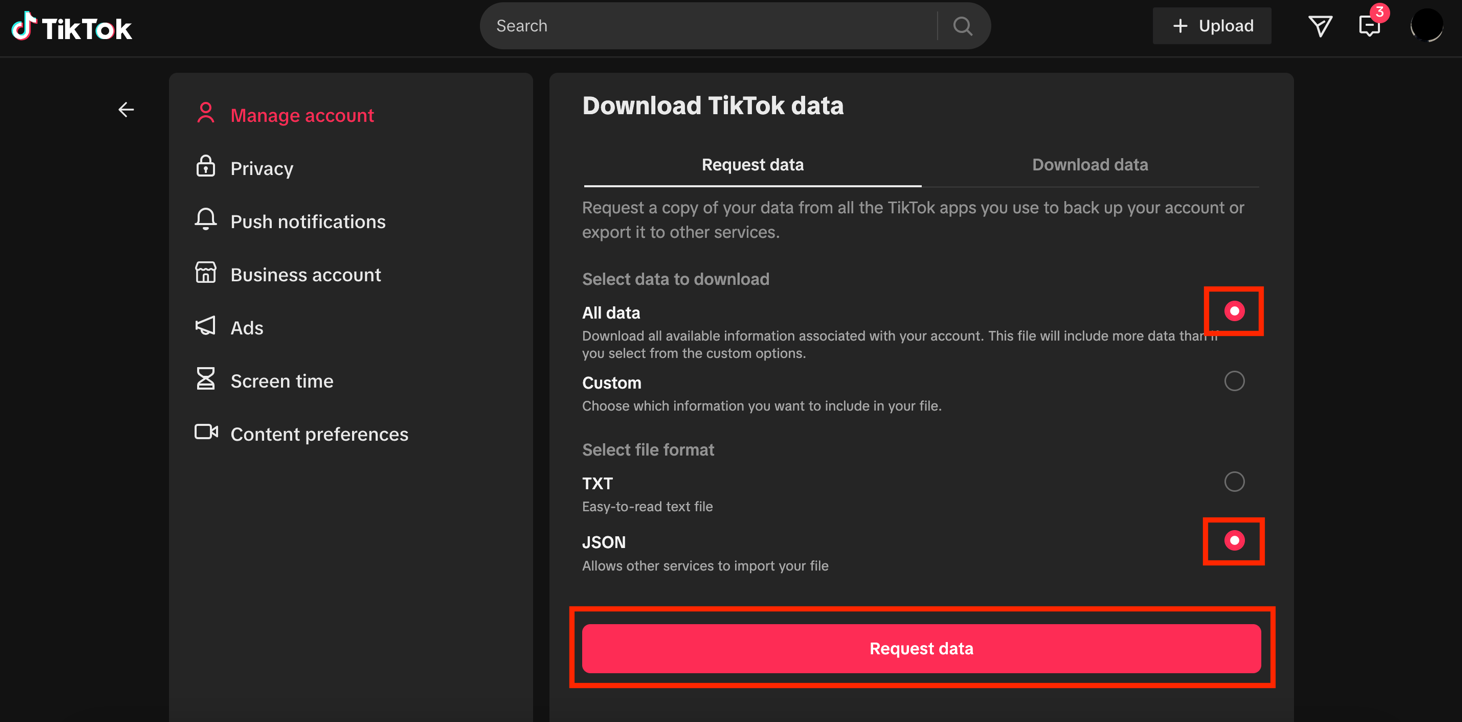
You will need to specify the amount and format of the data. Select All data under data to download, and select JSON under file format.
Then click on Request data.
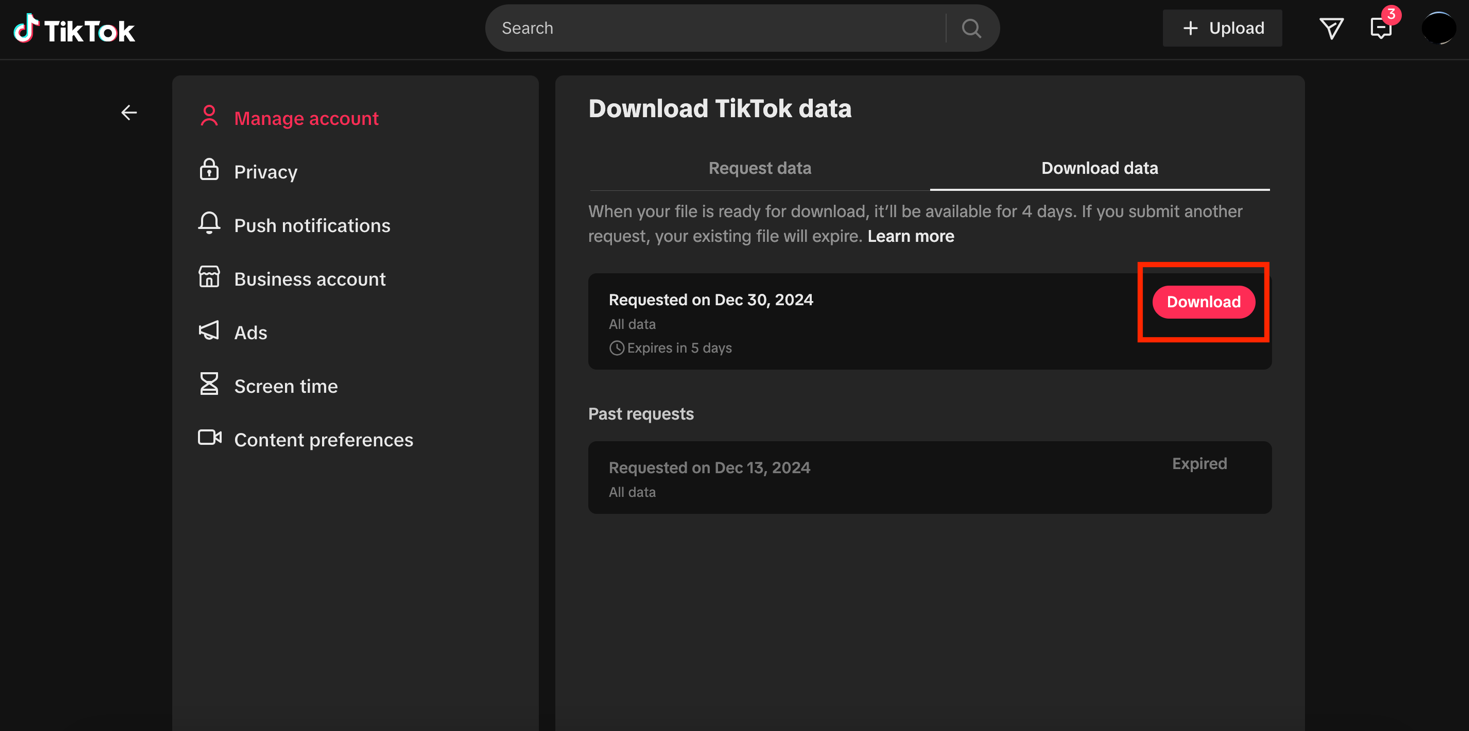
Then click on Download.
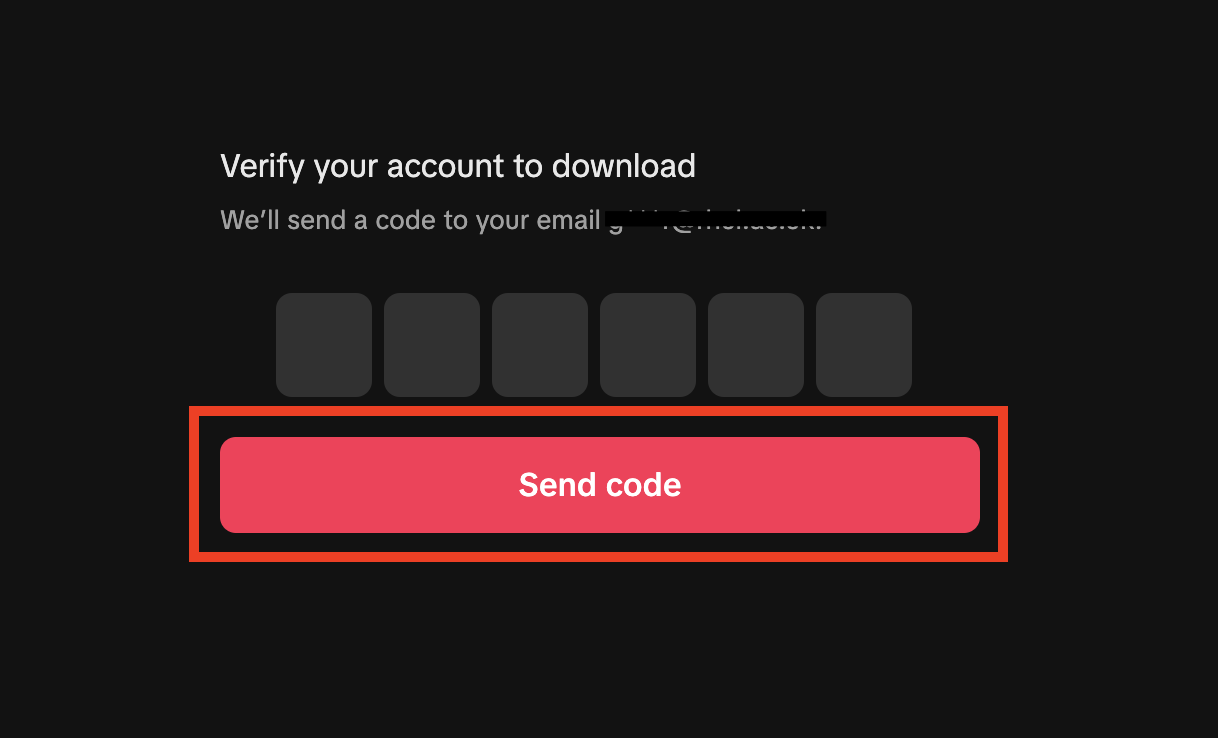
You will need to verify your account before the downloading process can start. To do so, TikTok will send you a verification code by email.
Click on Send code.
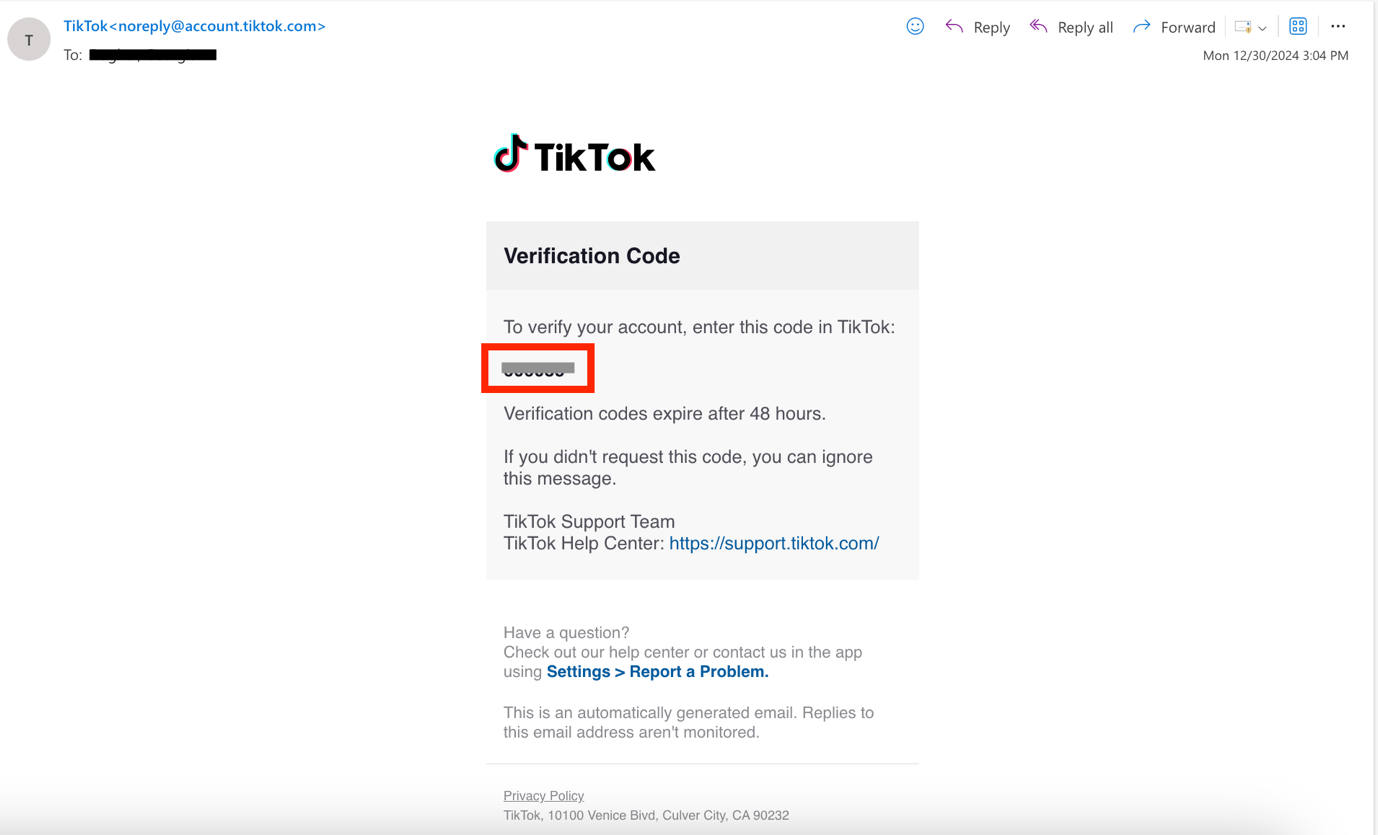
Open your inbox and copy the verification code. The email will be sent by noreply@account.tiktok.com.
If you have not received the email within a few hours, make sure to check your junk mail folder.
Go back to your browser and enter the verification code. Your download will then start.
The file will be downloaded to your device as a ZIP file and will be saved on your device in the Downloads folder.